Bots Are Now Majority Web Traffic: What Marketers Need to Rethink in 2026
 Written by Martin J.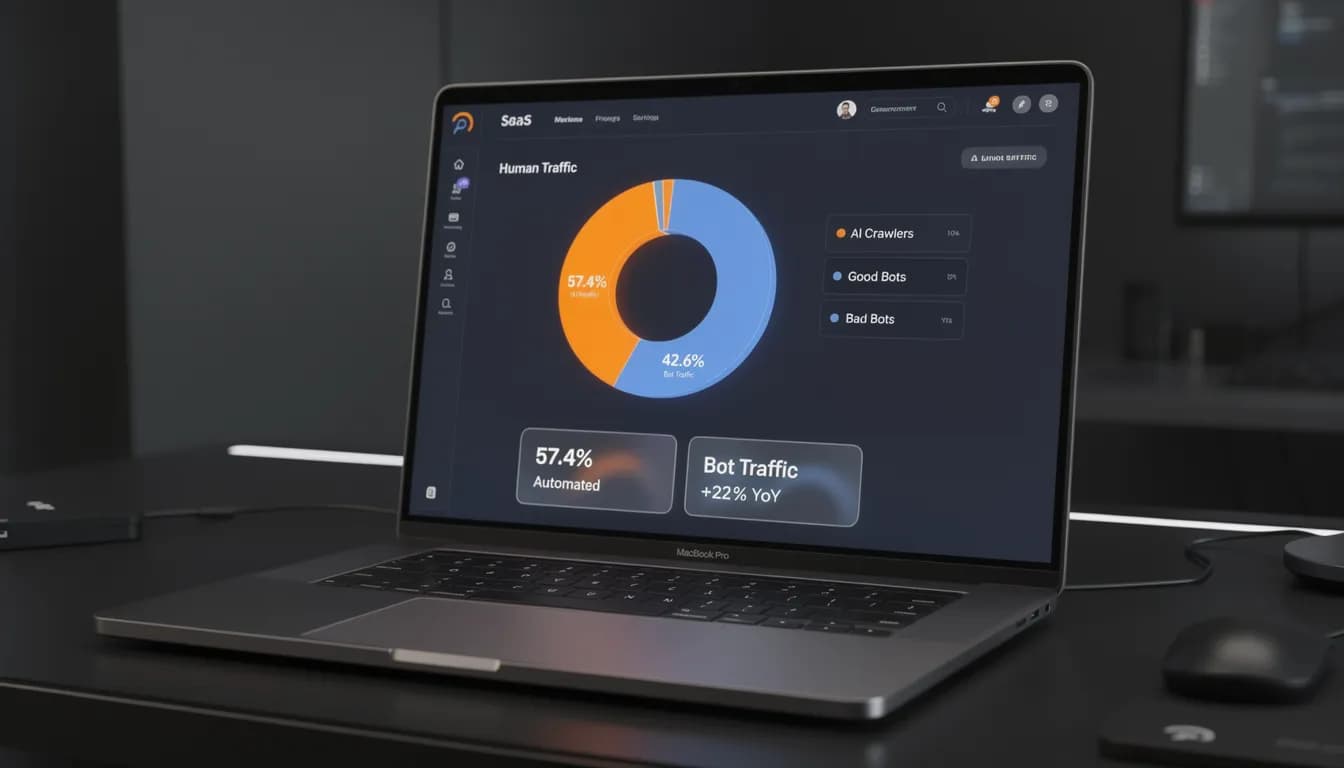
Cloudflare confirmed it: bots now account for 57.4% of all web requests. Your GA4 dashboard doesn't flag this. And the decisions your team made last quarter about channel mix, content investment, and campaign performance were built on data where the majority of inputs were automated. Do you know which kind of bots visited your site — and whether they're helping your AI visibility or draining your ad budget?
In June 2026, Cloudflare confirmed something marketers had been quietly suspecting for years: bots now account for 57.4% of all web requests. That means the majority of 'traffic' on the internet is not human. And yet your GA4 dashboard is happily reporting sessions, engagement rates, and conversion funnels as if every number came from a real person sitting at a real screen. The absurd part is this: your marketing strategy — the channel mix, the content investments, the A/B tests — is at least partially built on a dataset where the majority of inputs were automated. You knew bots existed. You didn't know they'd already won. What you do next with your analytics depends entirely on understanding which kind of bot just visited your site — and whether you should be worried, or grateful.
How Much of Your Web Traffic Is Bots? The 2026 Data
The Cloudflare Radar report from June 2026 is the most concrete recent data point on bot traffic at scale. The finding: 57.4% of all web requests globally are generated by bots, with human traffic now in the minority for the first time.
This isn't an anomaly — it's a trend line that's been building for years. Imperva's 2025 Bad Bot Report put bad bots alone at 37% of internet traffic, up from 32% in their 2024 report. Layer in good bots (legitimate crawlers, monitoring tools, AI systems) and you get well past the majority.
Breaking down the bot population helps:
- Good bots — Search engine crawlers (Googlebot, Bingbot), uptime monitors, SEO tools checking your rankings, feed readers. These are necessary and you want them visiting.
- AI crawlers — GPTBot (OpenAI), PerplexityBot, ClaudeBot (Anthropic), Google-Extended, AppleBot. This is the new category that barely existed two years ago and is now a significant share of bot traffic. More on this shortly.
- Bad bots — Scrapers harvesting your content for resale or competitor intelligence, click fraud bots hitting your paid ads, credential stuffing bots testing login forms, vulnerability scanners, and competitor intelligence tools mapping your site.
The 57.4% figure includes all three categories. For your marketing analytics, the distinction matters enormously — because the treatment for each is completely different.

What Is Bot Traffic and Why Does It Matter for Marketing?
Bot traffic is any web traffic generated by automated software, not a human user. The traditional framing — "bots are a security problem, block them all" — is exactly wrong for marketers in 2026.
Some bots you actively want crawling your site. Search engine crawlers index your content and drive organic traffic. AI crawlers are increasingly determining whether your content gets cited in ChatGPT, Perplexity, and Google AI Overviews. These are bots you want to welcome and optimize for.
The problem is the contamination they create in your analytics — and the damage that bad bots do to your budget and data integrity.
For marketing teams specifically, bot traffic matters because:
Your reporting baseline is off. If 40-60% of your sessions are not human, every metric calculated from session count — bounce rate, pages per session, conversion rate, cost per session — is distorted. You're optimizing campaigns against benchmarks that were never real.
Your content decisions are compromised. Your "best-performing content" list is derived from page view data that includes bot crawls. You're investing editorial resources in topics and formats based on what bots visited, not what humans engaged with.
Your ad spend is leaking. Click fraud bots don't just inflate your traffic — they click your paid ads and cost you real money. The Association of National Advertisers estimated $13.2 billion in ad fraud losses in the US in 2022, with bot traffic as the core mechanism.
How Bot Traffic Distorts Your Marketing Analytics
Here's the specific breakdown — what bot contamination looks like across each layer of your marketing data.
Traffic and session metrics
Bots register as sessions in GA4. If 30-50% of your monthly visitors are bots, your baseline is inflated by that margin. Every growth calculation you make from that baseline — month-over-month traffic increase, SEO visibility gains, campaign reach — contains an invisible error. A 20% traffic increase might be a 12% real increase plus a bot surge you didn't notice.
Bounce rate and engagement
Most bots don't scroll, click through pages, or trigger engagement events. They hit a URL and leave. This artificially inflates your bounce rate and depresses average session duration. If you're using these metrics to evaluate landing page quality or content performance — and most marketing teams are — your optimization decisions are based on non-human behavior patterns.
Conversion rates
Bots generate sessions but almost never convert. (Sophisticated click fraud bots sometimes do trigger form fills, but this is the exception, not the rule.) This means your denominator — total sessions — is inflated by non-converting bot traffic, making your conversion rate look lower than it actually is. Teams have cut budgets from channels that appeared underperforming when the reality was that bot contamination was suppressing their reported conversion rate.
Event tracking noise
GA4's event-based model means every page view, scroll event, and click is being tracked. Bots running JavaScript (like headless browsers) trigger these events at machine speed. Your event count data, your funnel analysis, your engagement rate calculations — all of these absorb bot behavior as if it were human signal.
Attribution and source/medium data
Referral spam bots send fake traffic to your site with fabricated referral sources, inflating your referral channel and creating phantom traffic sources in your attribution reports. This is less common than it was five years ago but hasn't disappeared.
The AI Crawler Revolution: ChatGPT, Perplexity, and Google Are Crawling Your Site Too
This is the angle most bot traffic articles from 2024 and earlier completely miss — and it's the most strategically important development for marketers in 2026.
AI crawlers are a new category of bot traffic that has scaled dramatically in the last 18 months. These are automated systems run by AI companies that crawl publicly available web content to train models, populate retrieval systems, and generate citations in AI-generated answers:
- GPTBot (OpenAI) — Crawls content for ChatGPT training and retrieval
- PerplexityBot — Indexes content for Perplexity's search and answer engine
- ClaudeBot (Anthropic) — Crawls for Claude's training and context retrieval
- Google-Extended — Google's AI training and Google AI Overviews indexer (separate from standard Googlebot)
- AppleBot — Apple Intelligence content crawler
These bots show up in your server logs and, depending on your GA4 setup, may appear as direct or organic sessions. They're not malicious. But they create two important dynamics for marketers.
First: AI crawler visits are a positive signal for AI citations. If GPTBot or PerplexityBot is frequently crawling specific pieces of your content, that content has a higher probability of being cited when users ask related questions in those AI systems. This is a key component of AI visibility optimization — understanding which crawlers visit which content, and optimizing for citation likelihood. Tracking AI crawler activity in your server logs is now part of a modern AEO audit.
Second: They're confusing your analytics. AI crawler sessions can register as direct traffic or inflate organic session counts, depending on how your tagging is set up and whether the crawler executes JavaScript. For clean analytics, you need to identify and segment these separately.
How to see AI crawler activity in your server logs:
```
User-agent strings to look for:
- GPTBot/1.1
- PerplexityBot/1.0
- Claude-Web (Anthropic)
- Google-Extended
- Applebot/0.1
```
If you're using Cloudflare, the Bots analytics dashboard will show you bot type breakdowns including AI crawlers. Google Search Console doesn't surface AI crawler data directly — you need server log analysis or a dedicated AI SEO tools stack for this visibility.
For context on how AI visibility and GEO metrics work alongside traditional SEO, this is worth understanding as part of a broader measurement rethink.
How Bot Traffic Distorts Your SEO Rankings and AI Visibility
There's a common misconception worth clearing up: inflated traffic from bots does not help your SEO rankings. Google is very good at filtering bot signals from its ranking algorithm. Bot-generated page views, bot-triggered engagement events — these don't translate to ranking improvements. You're not accidentally ranking better because scrapers love your content.
What matters for SEO is real user engagement: click-through from search results (which GSC measures separately from GA4), dwell time, and genuine interaction signals. These are harder for bots to fake and are what Google actually uses.
For AI visibility, the dynamic is different. AI crawlers visiting your content frequently does correlate with citation likelihood — because they're indexing and retrieving that content when generating answers. This is why entity optimization matters: structuring your content so AI systems can identify the entities, claims, and answers within it.
The strategic takeaway: optimize your content for both human engagement (which drives SEO) and AI crawler access (which drives AI citations). Don't block AI crawlers in your robots.txt to reduce bot traffic numbers — you'll be cutting off a distribution channel that's growing rapidly.
How to Filter Bot Traffic from Google Analytics 4
GA4 has built-in bot filtering, but it's partial. Here's what works, what doesn't, and how to build a cleaner analytics picture.
Step 1: Verify GA4's built-in bot filtering is enabled
GA4 automatically filters known bots using the IAB/ABC International Spiders and Bots List. This covers major well-known crawlers but misses newer, custom, or sophisticated bots. To confirm it's active: go to Admin > Data Streams > select your stream > Configure Tag Settings. The bot filtering is enabled by default in GA4, but worth confirming.
Step 2: Identify internal traffic and exclude it
Traffic from your own team looks identical to bot traffic in many analytics — high session counts, fast page exits, unusual behavior patterns. Define internal IP ranges as internal traffic filters: Admin > Data Filters > Create Filter > Internal Traffic. This isn't bot filtering per se, but it removes another source of data contamination.
Step 3: Create human-only analysis segments
For reporting, build custom segments in GA4 Explore that exclude known bot signals:
- Sessions with 0 engagement time
- Sessions from specific geographic regions that don't match your market
- Sessions with suspicious device/browser combinations common in headless browsers
Step 4: Cross-reference GA4 with Google Search Console
This is the fastest way to get a contamination estimate. GSC measures actual clicks from Google Search results, and Google is very good at filtering bots from this data. If your GA4 shows 10,000 organic sessions but GSC shows 6,500 clicks for the same period, that 35% gap is largely bot traffic. Track this ratio monthly. If it's widening, your bot contamination is growing.
Step 5: IP exclusion for identified bots
Once you've identified specific IP ranges generating bot traffic (via server logs or Cloudflare analytics), create IP-based exclusion filters in GA4: Admin > Data Filters > Create Filter > Developer Traffic (for IPs you control) or configure at the server level.

Bot Traffic Protection for Marketers: What You Actually Need
Security-focused guides will tell you to block everything that doesn't look human. That's the wrong instinct for marketers. Here's a more nuanced approach:
What to block:
- Malicious scrapers harvesting your content for resale or competitor intelligence
- Click fraud bots hitting your paid ads (Cloudflare's Bot Fight Mode handles much of this at the network level)
- Credential stuffing bots targeting login forms
- Vulnerability scanners not associated with your own security tooling
What to allow:
- Googlebot, Bingbot, and all major search engine crawlers
- AI crawlers: GPTBot, PerplexityBot, ClaudeBot, Google-Extended, AppleBot — these are citation channels
- Your own uptime monitoring tools
- Legitimate SEO crawlers (Semrush, Ahrefs, Moz — even competitor tools aren't worth blocking)
The robots.txt AI crawler strategy
As of 2026, a common mistake is blocking AI crawlers in robots.txt because they're bots and bots are bad. Blocking GPTBot or ClaudeBot means your content won't be cited in those systems. For most marketers, that's cutting off an emerging distribution channel.
The smarter approach:
- Allow major AI crawlers via robots.txt (omit disallow rules for GPTBot, PerplexityBot, ClaudeBot, Google-Extended)
- If you have premium content you don't want scraped for training, use specific path-level disallow rules rather than blanket blocks
- Review your robots.txt quarterly as new AI crawlers emerge
Cloudflare's free tier
Cloudflare's free plan includes basic bot protection that blocks or challenges the most aggressive bad bots. Bot Fight Mode (free) significantly reduces malicious bot traffic before it reaches your site — which means it doesn't even hit your analytics. For most mid-size marketing sites, this alone materially improves data quality.
Marketing KPIs You Need to Adjust for the Bot-Dominated Web
Some metrics are inherently more resilient to bot contamination. Restructuring your primary KPI set around these gives you more reliable signal — even if the underlying data isn't perfectly clean.
Metrics that are less reliable in a bot-contaminated world:
- Raw session count — inflated by bot visits
- Bounce rate — distorted by bots that don't engage
- Average session duration — suppressed by zero-duration bot sessions
- Pageviews — counts bot crawls as views
- Referral traffic volume — susceptible to referral spam
Metrics that are more resilient:
- GSC-sourced clicks — Google filters bots before reporting this; use as your organic traffic truth
- Form submissions with email validation — bots can fill forms but email validation adds a human-action requirement
- Revenue from actual transactions — tied to real payment events, very hard to fake at scale
- Return visitor rate — bots rarely return as identified visitors
- Scroll depth and time-on-page for specific content — when cross-referenced with GA4 engagement sessions, concentrated bot signals become visible as outliers
Build two parallel dashboards:
One is your raw GA4 dashboard — useful for trend spotting and anomaly detection. The other is your "human-validated" performance view: GSC data + GA4 filtered segments + actual conversion events. When making strategic decisions, use the human-validated view. Use the raw dashboard only to flag anomalies worth investigating.
The bot-dominated web is not a crisis — it's a measurement problem. With the right filters, the right cross-referencing habits, and the right KPI structure, your marketing data becomes substantially more reliable. The 57.4% of traffic that isn't human doesn't have to corrupt the decisions you make from the 42.6% that is.
Frequently Asked Questions
- Does bot traffic hurt my SEO?
- Bot-generated traffic doesn't directly harm your SEO rankings — Google is very good at filtering automated signals from its algorithm. However, bot traffic does contaminate your internal reporting, leading to bad decisions about which content to invest in and which channels to scale. Indirectly, that hurts your SEO through misallocated resources.
- Should I block all bots in my robots.txt?
- No. Blocking all bots would prevent Googlebot from indexing your site and AI crawlers from citing your content. The goal is selective blocking: allow search engine crawlers and AI crawlers, block malicious scrapers and click fraud bots. Use Cloudflare or similar tools to handle bad bot blocking at the network level, and keep your robots.txt open for legitimate crawlers.
- How do I know if my GA4 data is clean?
- The fastest check: compare GA4 organic sessions to Google Search Console clicks for the same period and same date range. A gap larger than 15-20% typically indicates significant bot contamination. Also check for sessions with zero engagement time — a high proportion of these is a bot signal. No GA4 setup is perfectly clean, but the cross-referencing habit gives you a reliable contamination estimate.
- What is a normal bot traffic percentage for a marketing website?
- Based on Cloudflare's June 2026 data, the global average is 57.4% bot traffic. For marketing-focused websites, the good bot proportion tends to be higher (more SEO crawlers, more AI crawlers indexing content) and the bad bot proportion varies by industry and site type. A marketing blog can expect 30-50% of traffic to be bots of various kinds. The question isn't eliminating bot traffic — it's understanding which bots are visiting and why.
- What are AI crawlers and are they different from regular bots?
- AI crawlers (GPTBot, PerplexityBot, ClaudeBot, Google-Extended) are a distinct and growing bot category that crawls content for AI training and retrieval. Unlike traditional scrapers, these crawlers are run by legitimate AI companies and their visits correlate with the likelihood of your content being cited in AI-generated answers. They should be treated differently from bad bots — block bad bots, welcome AI crawlers.
- How often should I audit my analytics for bot contamination?
- Quarterly at minimum, monthly if you're running paid campaigns. Build the GA4 vs GSC cross-reference into your monthly reporting process — it takes 5 minutes and catches contamination before it compounds across a quarter. After any major traffic spike without an obvious cause (no campaign launch, no PR coverage), do an immediate audit. Unexplained traffic spikes are almost always bot-related.
How Allable.ai Helps You Work with Clean Analytics Data
The manual process of filtering bot traffic, cross-referencing GSC with GA4, and building human-validated content reports takes hours per month. Allable.ai surfaces clean performance data automatically — and tracks AI crawler activity to show which content gets cited in ChatGPT, Perplexity, and Google AI Overviews.